Wait for the result, not the clock
Replace arbitrary sleeps with a check that waits for the state you actually need. A small saved-settings example makes the difference visible.

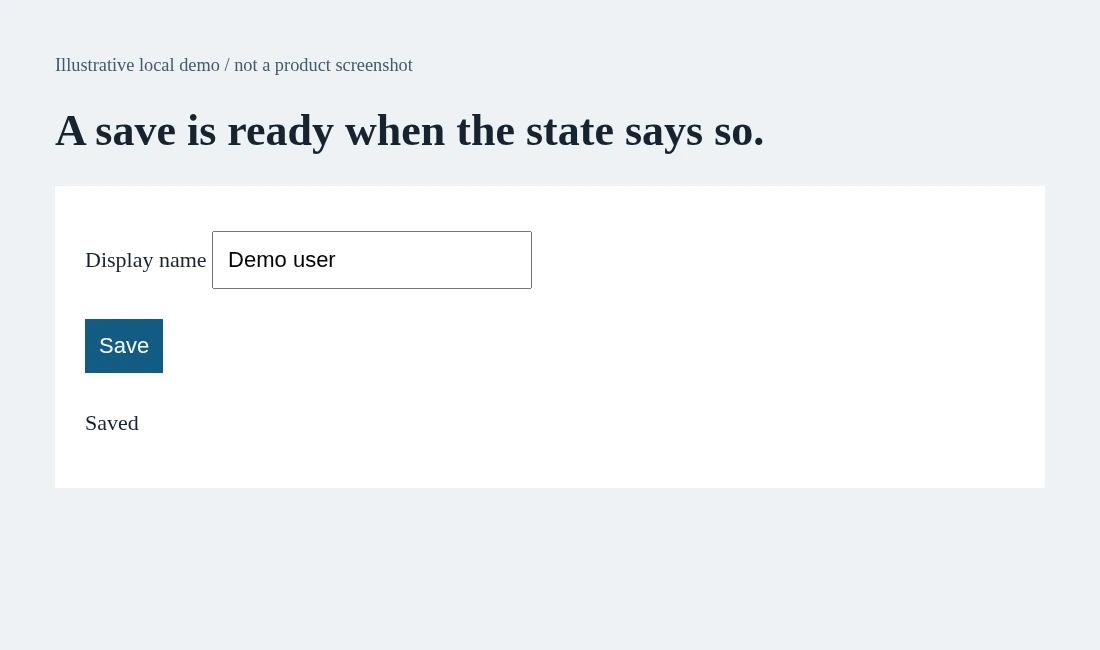
A settings form saves slowly. Someone adds a two-second pause before checking the success message. It passes on their laptop. The next CI run takes a little longer and fails. Another developer changes the pause to five seconds. The test is now slower, but the reason it should proceed is still missing.
The useful question is not how many seconds to sleep. It is what evidence says the next step is ready. This guide builds a small saved-settings check around that question, using Playwright's assertion documentation and its best-practices guide. The screenshot is an illustrative local demo, not a customer application or a product benchmark.
A pause guesses. A condition checks.
In the demo, clicking Save changes a status element from Saving to Saved after a delay. An immediate visibility query takes a snapshot of the present. It does not wait for a future state. Playwright's web-first assertions repeatedly check the locator until the expected condition holds or their timeout expires.
Compare the two approaches in a test where a page has already navigated to your own staging settings form:
// A fixed delay does not express the requirement.
await page.getByRole('button', { name: 'Save', exact: true }).click();
await page.waitForTimeout(2000);
expect(await page.getByRole('status').innerText()).toBe('Saved');

// The expected state controls when the check finishes.
await page.getByRole('button', { name: 'Save', exact: true }).click();
await expect(page.getByRole('status')).toHaveText('Saved');
These are alternative snippets, not instructions to click twice in one test. The second assertion can finish as soon as Saved appears. If it never appears, the assertion fails instead of waiting indefinitely. The default assertion timeout is five seconds according to the current assertion documentation; choose a local timeout only when your product's expected behavior justifies it.
Auto-waiting is not the same as outcome waiting
Playwright checks actionability before actions such as a click. A button may need to be visible, stable, enabled and able to receive events. That answers whether the click can happen. It does not prove that the save request finished or that the server kept the new setting.
A success status can be a reasonable readiness condition for the next UI step, but it is not independent proof of persistence. Keep those jobs separate: wait for Saved, reload the settings page, then verify the selected value. Our earlier article about independent outcomes discusses that proof boundary; this guide focuses on the synchronization mechanism that gets you to the check reliably.
await expect(page.getByRole('status')).toHaveText('Saved');
await page.reload();
await expect(page.getByLabel('Display name')).toHaveValue('Demo user');
The example assumes an accessible field named Display name and a reload-safe staging record. Define those contracts in the demo or your app. Do not change a live user's profile to make a timing experiment convenient.
When the wait fails, do not inflate it first
An expired assertion timeout is evidence to inspect. The status might never update. The test might target an old component. The save might fail. Or the product might legitimately take longer than the current expectation. Inspect the action and resulting UI before changing a timeout.
Playwright's actionability guide explains which actions wait and which assertions retry. Generic equality checks do not acquire that behavior simply because an awaited value sits inside them. Prefer a locator assertion for a changing UI condition; use a bounded polling assertion when the condition is outside that shape.
Avoid turning every failure into a larger shared timeout. A longer ceiling hides symptoms and can make a broken run take much longer. Write down the intended readiness signal and who owns it. If no signal exists, a clearer loading state or test contract may be a better fix than another sleep.
A review card for generated tests
For each timing-sensitive step, record the action, readiness condition, timeout reason and final outcome check. In our demo: Save, status equals Saved, the agreed save response window, then the field persists after reload. This small card is easier to review than a pile of pauses.
AnyTest describes agents exploring a web app and building end-to-end tests for human review. If a generated flow appears too fast or unreliable, the reviewer should ask what makes each transition ready. This is a review principle, not a claim that AnyTest exposes Playwright settings or generated code in a particular format.
A single QA engineer benefits when synchronization rules are explicit enough for developers to maintain. A team without dedicated QA can use the same card during code review. The goal is a test that waits for the right reason, fails with a useful boundary and never mistakes a pause for proof.
Common questions
Wait for the result, not the clock - what should I keep in mind?
Replace arbitrary sleeps with a check that waits for the state you actually need. A small saved-settings example makes the difference visible.
Are the examples a measured AnyTest result?
No. The examples illustrate testing techniques using Playwright. AnyTest describes web exploration and generated end-to-end tests for human review; no particular runner integration is claimed.