Build your browser matrix from risk, not a checkbox
Run the important journeys across the browsers and device settings that matter. Keep emulation, browser engines and real hardware evidence separate.

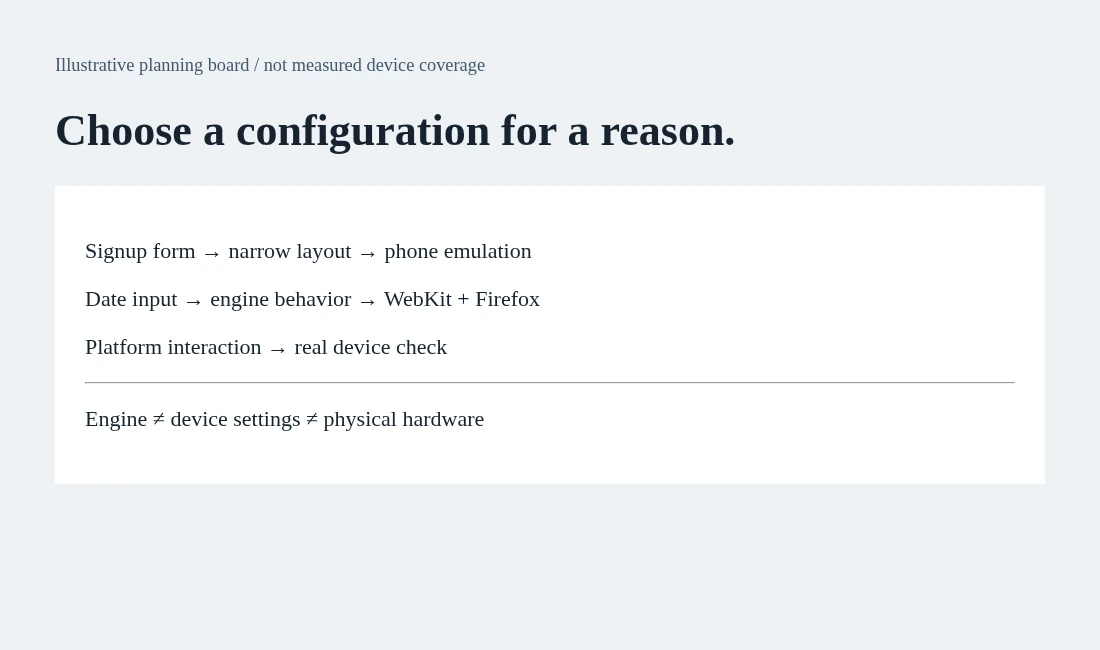
Your test suite has a browser dropdown. Someone selects everything. CI gets slower, failures multiply, and nobody can explain which configurations protect the business. A large matrix looks careful, but it can still miss the one mobile flow customers use to finish signup.
Start with the risk, then choose the configurations that expose it. This guide uses Playwright projects, its browser documentation and emulation guide to build a small, legible browser matrix. The accompanying visual is an illustrative planning board, not a measured support report.
Separate three decisions
The first decision is the browser engine: Chromium, Firefox or WebKit. The second is the device configuration: viewport, user agent, touch and other emulated settings. The third is hardware evidence: an actual device and its real browser behavior. They are related but not interchangeable.
Playwright documents support for Chromium, Firefox and WebKit, plus branded Chromium channels such as Chrome and Edge. Its WebKit build is not branded Safari. A green WebKit result should therefore be described as WebKit evidence, not a claim that every Safari version on every iPhone passed.
Device presets provide emulated settings. They help exercise a narrow layout or touch-oriented UI, but they do not turn a desktop machine into the physical device. Keep real-device checks for risks such as platform interactions that the emulated setup does not establish.
Map a journey to the risk it carries
For the demo board, signup depends on a narrow form layout and a confirmation link. Billing settings contain date input and locale formatting. A document upload may depend on a browser capability and permission behavior. Those are different reasons to choose a test configuration.
Ask your team for supported-browser requirements and current audience evidence. If none exists, record a provisional choice and its review date instead of inventing customer percentages. A QA engineer can lead that conversation with product and support; the choice should not be hidden in a runner file nobody reads.
The actionable artifact is a matrix ledger: journey, risk, selected project, why it is selected, evidence outside emulation and owner. Add a configuration only when the ledger says what it buys. Remove redundant work only when the support requirement and risk review permit it.
Make the project names say what they run
A Playwright project groups tests with the same configuration. This small configuration illustrates three distinct viewpoints and keeps the names honest:
import { defineConfig, devices } from '@playwright/test';

export default defineConfig({
  projects: [
    { name: 'chromium-desktop', use: { ...devices['Desktop Chrome'] } },
    { name: 'firefox-desktop', use: { ...devices['Desktop Firefox'] } },
    { name: 'webkit-phone-emulation', use: { ...devices['iPhone 13'] } }
  ]
});
Install the corresponding browser binaries in your test environment. Run a named project with npx playwright test --project=webkit-phone-emulation. These names describe the configuration, not a product guarantee. The code is a starting point for your own support policy, not a universal recommended matrix.
Playwright runs configured projects by default. Its projects guide also shows how groups can use different test directories. That lets a team run a focused smoke set across several engines while keeping a wider set elsewhere. Avoid silently dropping a business-critical journey just because a broad run is inconvenient.
Diagnose a difference instead of deleting the configuration
If a test passes in one project and fails in another, inspect whether the product, test contract or environment differs. A narrow viewport may move the next action below the fold. Locale settings may alter a date format. A browser feature may behave differently. A shared-data collision is not browser evidence at all.
Keep the expected result stable where the product contract is stable. Do not write a separate assertion merely to accept a broken result in one engine. Where the product intentionally differs, document that behavior and make the test check it explicitly.
Review failure evidence by project name and preserve the configuration with the result. A screenshot without its viewport, engine and relevant settings can be hard to interpret. Keep those details in the test report, not in a guess made during triage.
Where generated exploration fits
AnyTest describes exploring a web app and building end-to-end tests for human review. Generated journeys can help you identify flows worth protecting, but they do not establish the browser/device coverage of your deployment. Ask for the actual supported execution configurations before making that claim.
For one QA engineer, a risk-led matrix prevents limited review time from being consumed by unexplained duplication. For a larger team, it gives product-area owners a common vocabulary. The useful outcome is a set of configurations you can defend, with known limits and visible follow-up, rather than the longest list a settings screen allows.
Common questions
Build your browser matrix from risk, not a checkbox - what should I keep in mind?
Run the important journeys across the browsers and device settings that matter. Keep emulation, browser engines and real hardware evidence separate.
Are the examples a measured AnyTest result?
No. The examples illustrate testing techniques using Playwright. AnyTest describes web exploration and generated end-to-end tests for human review; no particular runner integration is claimed.